Introduction
Remote work sounds like a dream job for many people. No traffic. No office pressure. No fixed desk.But after a few weeks, most remote workers realize something important:
Working from home is not always easy.
Distractions, poor time management, missed deadlines, and communication problems can quickly reduce productivity. Without the right system, remote work can become stressful and unorganized.
That’s why productivity apps have become essential for modern remote workers.
The right tools help you:
- Stay focused
- Manage tasks
- Communicate with teams
- Track deadlines
- Save time every day
Whether you are a freelancer, student, content creator, or full-time remote employee, these apps can completely improve your workflow.
Here are the best productivity apps for remote workers in 2026.
1. Notion — Best All-in-One Workspace
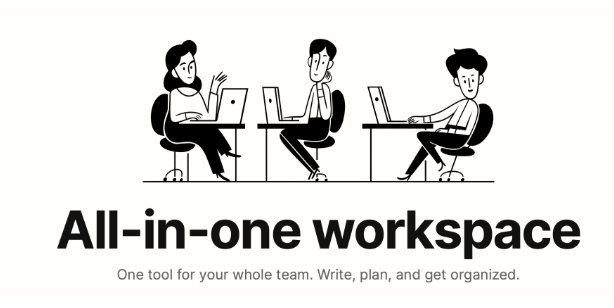
Notion is one of the most powerful productivity apps available today.
It combines:
- Notes
- Task management
- Project planning
- Databases
- Team collaboration
…all in one platform.
Remote workers use Notion to organize daily work, manage projects, and store important documents.
Why Remote Workers Love Notion
- Clean and minimal design
- Easy collaboration
- Custom templates
- All-in-one workspace
Best Features
- Daily planners
- Content calendars
- Team wikis
- Goal tracking
- AI writing support
Notion is perfect for people who want everything organized in one place.
2. Trello — Best for Task Management
Trello makes project management simple and visual.
It uses a board-and-card system where users can:
- Create tasks
- Move projects between stages
- Set deadlines
- Assign team members
Why It’s Useful
Trello helps remote workers clearly see what needs to be done and what is already completed.
Best Features
- Drag-and-drop boards
- Task reminders
- Team collaboration
- Progress tracking
- Mobile-friendly interface
It’s especially useful for freelancers, startups, and small remote teams.
3. Slack — Best Communication App
Communication is one of the biggest challenges in remote work.
Slack solves this problem by creating organized communication channels for teams.
Instead of endless emails, teams can communicate instantly through:
- Group channels
- Private messages
- Voice calls
- Video meetings
Why Remote Teams Use Slack
- Faster communication
- Organized conversations
- Easy file sharing
- Integration with other apps
Best Features
- Team channels
- Voice messages
- Workflow automation
- Notification control
Slack helps remote workers stay connected without feeling overwhelmed.
4. Zoom — Best Video Meeting App
Zoom became extremely popular during the remote work boom.
It allows teams to hold:
- Virtual meetings
- Client calls
- Online classes
- Webinars
Why Zoom Is Important
Face-to-face communication improves teamwork and reduces misunderstandings.
Best Features
- HD video calls
- Screen sharing
- Meeting recording
- Virtual backgrounds
- Breakout rooms
Zoom is now considered one of the most essential tools for remote collaboration.
5. Google Workspace — Best for Collaboration
Google Workspace includes tools like:
- Google Docs
- Google Sheets
- Google Drive
- Google Meet
- Gmail
These tools allow remote teams to work together in real time.
Why It’s Powerful
Multiple people can edit the same document at the same time from anywhere in the world.
Best Features
- Cloud storage
- Real-time editing
- Easy sharing
- Automatic saving
- Cross-device access
Google Workspace is perfect for both individuals and businesses.
6. Clockify — Best Time Tracking App
Many remote workers struggle with time management.
Clockify helps users track how much time they spend on different tasks and projects.
Why It Helps
It improves productivity by showing where time is being wasted.
Best Features
- Time tracking
- Work reports
- Productivity analysis
- Project billing
- Team monitoring
Freelancers especially use Clockify to track billable hours.
7. Todoist — Best Daily Task Organizer
Todoist is a simple but powerful task management app.
It helps users:
- Create daily to-do lists
- Set priorities
- Organize tasks
- Track productivity
Best Features
- Clean interface
- Daily reminders
- Priority labels
- Recurring tasks
- Productivity tracking
It’s perfect for people who want a distraction-free productivity app.
8. Canva — Best for Creative Remote Workers
Canva is extremely useful for remote workers who create visual content.
You can design:
- Social media posts
- Presentations
- Thumbnails
- Marketing materials
- Resumes
Why People Love Canva
It allows beginners to create professional designs without advanced skills.
Best Features
- Drag-and-drop editor
- Thousands of templates
- Team collaboration
- AI design tools
- Easy exporting
Canva saves time and improves creative productivity.
9. Grammarly — Best Writing Assistant
Remote workers spend a huge amount of time writing emails, reports, and messages.
Grammarly helps improve:
- Grammar
- Spelling
- Clarity
- Professional tone
Why It’s Important
Clear communication is critical in remote work.
Best Features
- Real-time corrections
- Tone suggestions
- AI writing assistance
- Browser extension
- Email support
It helps workers communicate more professionally and confidently.
10. Forest — Best Focus App
Staying focused at home can be difficult because of social media and distractions.
Forest helps users stay focused using a unique system.
When you start working, you plant a virtual tree.
If you leave the app to check social media, the tree dies.
Why It Works
It makes focus feel fun and rewarding.
Best Features
- Focus timer
- Distraction blocker
- Productivity tracking
- Motivational system
It’s great for students, freelancers, and remote workers who struggle with concentration.
Final Thoughts
Remote work is growing faster every year.
But productivity doesn’t happen automatically.
The right tools can help you:
- Save time
- Stay organized
- Communicate better
- Reduce stress
- Work more efficiently
Apps like Notion, Slack, Zoom, and Trello are no longer optional — they are essential for successful remote work.
Productivity Apps Related Questions & Answers
Q1: What is the best productivity app for remote workers?
Notion is one of the best all-in-one productivity apps for remote workers.
Q2: Which app is best for team communication?
Slack is best for fast and organized team communication.
Q3: What app helps with video meetings?
Zoom is one of the most popular apps for remote meetings and webinars.
Q4: Which productivity app is best for task management?
Trello and Todoist are excellent for managing daily tasks and projects.
Q5: Is Google Workspace good for remote work?
Yes, Google Workspace is perfect for collaboration and cloud-based work.
Q6: Which app helps improve focus?
Forest helps users stay focused and avoid distractions.
Q7: What app is best for tracking work time?
Clockify is great for tracking work hours and productivity.
Q8: Which app helps with writing and grammar?
Grammarly improves grammar, spelling, and professional writing.
Q9: Is Canva useful for remote workers?
Yes, Canva helps create professional designs quickly and easily.
Q10: Why are productivity apps important?
They help remote workers stay organized, focused, and efficient.